MindSnap
Chrome / Edge / Firefox extension that turns any webpage into an AI mind map — bring your own AI key (OpenAI, Claude, Gemini), data stays in the browser.
TL;DR
MindSnap is a solo-dev Chrome / Edge / Firefox extension that turns any webpage into an interactive AI mind map. Differentiator is the bring-your-own-key model — you plug in your own OpenAI / Anthropic / Google AI key, so usage isn't capped by a SaaS quota and content doesn't touch a MindSnap backend. The trade-off is it's not built for K-12 (kids can't carry an API key) and it's very new.
Recommend it if
You're a college / grad student who reads a lot of dense material and wants AI summarization + mind maps without burning a SaaS subscription, or a teacher prototyping AI-mind-map workflows with your own key before recommending an institutional tool.
Skip it if
You're rolling out to K-12 students (no BYOK option without an institutional API gateway), you need an admin / LMS dashboard, or you can't tolerate "Beta"-labeled software in your class.
Quick facts
- Platforms
- Chrome extensionEdge extensionFirefox extensionSafari extension (coming soon)
- Languages
- 12+ UI languages supported per vendor
- School fit
- 9-12 Higher Ed Adult / PD
- Subjects
- All — strongest for reading-heavy and research-heavy subjects
- Time to first output
- < 3 min
- Learning curve
- Easy
- Setup
- Install the extension; optionally paste an OpenAI / Claude / Gemini API key; right-click any webpage to start
- Works offline
- —
Real-world use cases
How a teacher, student or parent actually puts this tool to work.
| Who | Scenario | Time | Output |
|---|---|---|---|
| Students | Grad student reading a dense neural-networks survey paper — right-click the PDF on a web viewer, MindSnap generates a structured mind map summarizing the architecture, training and applications branches; flashcard mode produces 12 active-recall cards from the same source. | 3 min | Mind map + flashcard deck from one paper |
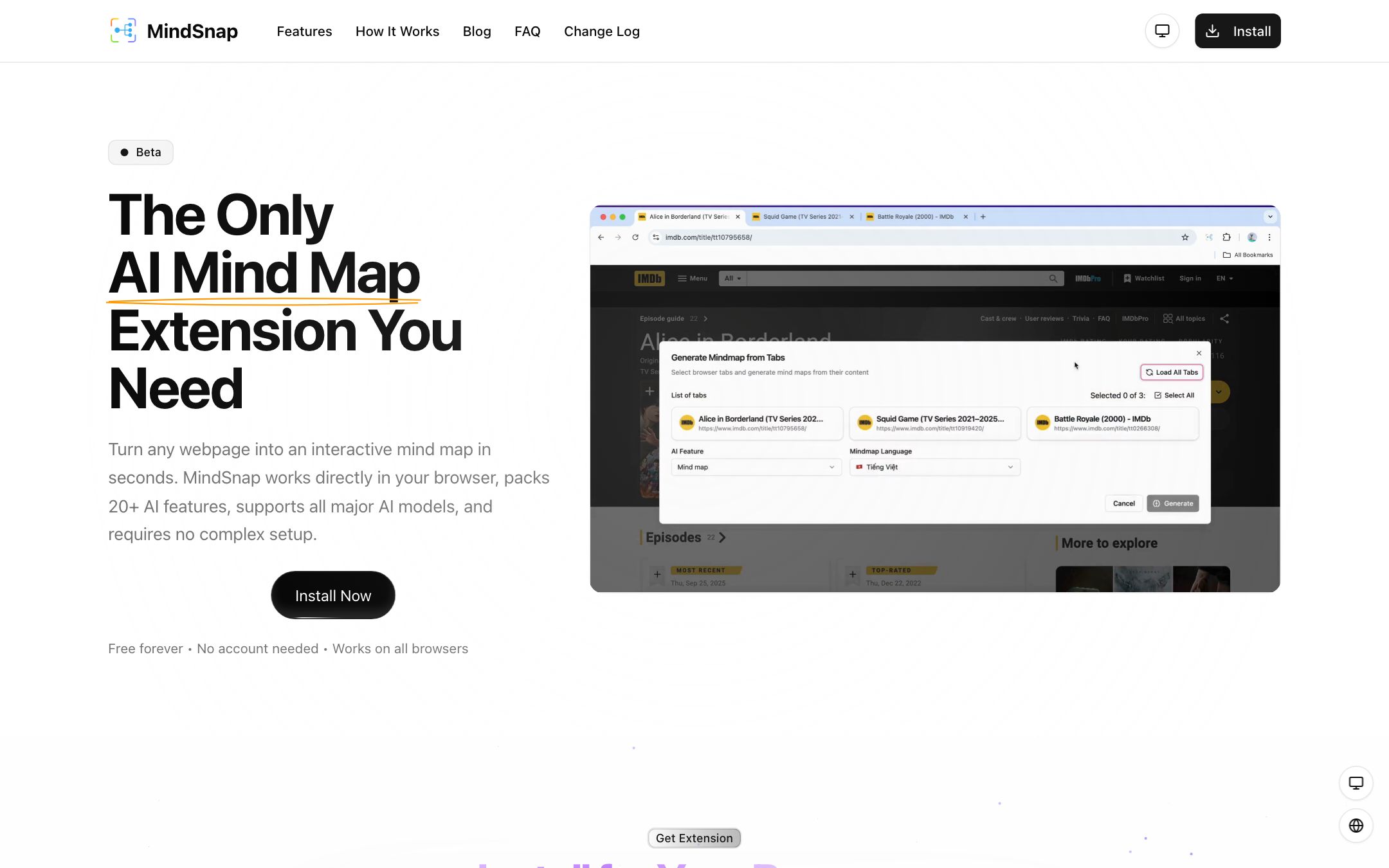
| Students | Undergrad cramming for a history final — selects 5 Wikipedia tabs, uses "Create from tabs" to combine them into one mind map for the WWII unit. | 4 min | Cross-source mind map for a unit |
| Teachers | Teacher prototyping AI mind maps for a unit on cells — uses their own OpenAI key, generates a model mind map from the textbook chapter web preview, exports as PNG to show the class what they should produce. | 5 min | Model mind map artifact |
- Students
Grad student reading a dense neural-networks survey paper — right-click the PDF on a web viewer, MindSnap generates a structured mind map summarizing the architecture, training and applications branches; flashcard mode produces 12 active-recall cards from the same source.
- Time
- 3 min
- Output
- Mind map + flashcard deck from one paper
- Students
Undergrad cramming for a history final — selects 5 Wikipedia tabs, uses "Create from tabs" to combine them into one mind map for the WWII unit.
- Time
- 4 min
- Output
- Cross-source mind map for a unit
- Teachers
Teacher prototyping AI mind maps for a unit on cells — uses their own OpenAI key, generates a model mind map from the textbook chapter web preview, exports as PNG to show the class what they should produce.
- Time
- 5 min
- Output
- Model mind map artifact
MindSnap is a solo-dev Chrome / Edge / Firefox extension that turns any webpage into an interactive AI mind map. Right-click → MindSnap → a structured mind map appears on-page, in a side panel, or in a new tab.
The unusual choice: bring-your-own-key (OpenAI, Claude, or Gemini). MindSnap doesn’t host inference and doesn’t collect your mind maps — content goes through your AI provider, mind maps live in your browser. That’s a different threat model than a typical SaaS edtech tool.
Honest scope
MindSnap is a personal study extension, not an institutional product. It’s explicitly “Beta”, it has no admin console, and the BYOK model rules out K-12 students who can’t carry their own API keys. The right home for it is in this catalog is higher-ed / adult learners who already have AI provider accounts — or teachers prototyping AI mind-map workflows for their own classroom.
What we like
- + Free forever — all 20+ AI features (mind maps, summaries, flashcards, learning paths) available without an account
- + Bring-your-own-key model — uses your OpenAI / Claude / Gemini API key, so usage isn't gated by a SaaS quota
- + Privacy-first by design — content is processed via your chosen AI provider; nothing is sent to a MindSnap backend per vendor
- + Cross-browser — Chrome, Edge, Firefox and Safari (coming soon)
- + Active development — v0.0.12 to v1.0.8 shipped over the launch window
Heads up
- − BYOK is the only model — you need an OpenAI / Anthropic / Google AI key, which is a non-starter for K-12 students under 13
- − Still labeled Beta and very new — 7 followers on Product Hunt, no public review base
- − No school / district admin console; not designed for institutional deployment
- − No native LMS integration — it's a personal study tool, not a teacher-facing classroom tool
Pricing breakdown
Pricing
Verified directly on the vendor site. We re-check every quarter.
Free (current)
Most useful- · Unlimited mind maps, flashcards, timelines
- · All 20+ AI features (summaries, learning paths, content extraction)
- · Multi-format export (PNG, SVG, JSON, XML)
- · 12+ language UI
- · Dark / light themes
- · Local storage of all mind maps
Coming Soon
- · AI conversational suggestions
- · Custom context
- · Personalized prompts
- · Presentation mode
- · Cross-device sync (extension + web + mobile, planned)
Privacy & compliance
Privacy & compliance
What we found in the vendor's terms, DPA, and trust center. Verify with your district before deploying.
- FERPA
- Unclear
- SOC 2
- Unclear
- COPPA
- Unclear
- GDPR
- Unclear
- Trains on your data
- No
- Data retention
- Mind maps and content are stored in the browser per vendor — not on MindSnap servers.
- Hosting regions
- Browser-local
MindSnap's privacy story is "content runs through your chosen AI provider; your data stays with you" per the marketing page. There is no MindSnap-side data collection beyond what your AI provider sees. For K-12, this means the privacy story you need to vet is your AI provider's, not MindSnap's. The vendor does not publish FERPA / COPPA / SOC 2 attestations because MindSnap is not architected as a SaaS — it's a client-side extension that proxies to your AI key.
Works with
- OpenAI (GPT-3.5 / GPT-4)
- Anthropic Claude
- Google Gemini
- Chrome browser
- Edge browser
- Firefox browser
Frequently asked questions
Frequently asked questions
What does "bring your own key" mean?
MindSnap doesn't host the AI inference itself. You plug in your own OpenAI, Anthropic or Google AI API key in settings, and MindSnap uses that key to call the LLM. Pros — no SaaS quota, your data only touches the AI provider you choose. Cons — you need your own key and pay for your own usage; not viable for K-12 students who can't sign up for API keys.
Is the data really private?
Per vendor, content is processed via your chosen AI provider and stored in your browser — there's no MindSnap backend collecting your mind maps. The privacy story you need to vet is your AI provider's (OpenAI / Anthropic / Google), not MindSnap's. This is a different threat model than a typical SaaS edtech tool.
How does it compare to a paid alternative like Markmap or XMind AI?
MindSnap's wedge is the browser-extension form factor — you don't switch apps. You right-click and a mind map appears. Markmap and XMind AI are richer for long-form mind-map editing but require pasting content in. For "I'm reading and want a visual summary now", MindSnap wins.
Will it stay free?
The current pricing page lists Free as the only available tier with a "Coming Soon" tier mentioning premium features (conversational suggestions, custom context, cross-device sync). It's reasonable to assume premium features will be paid, but the core mind-mapping feature has been free since launch.
Is it safe for school deployment?
As a client-side extension, MindSnap doesn't itself collect student data. But for K-12 you'd need each student to have an institutional API key, which most districts don't provision. MindSnap is more realistic for higher-ed (where students often already have API access) or as a personal study tool.
Tags
You might also like
When to pick it
NotebookLM
★Content Creation
Google's AI research notebook — upload your sources, get briefs, study guides and audio "podcasts".
You want a polished hosted experience without managing API keys, and you're OK with Google handling the content.
Mindgrasp
Tutors & Study Companions
Turn lectures, PDFs and YouTube videos into AI notes, flashcards, quizzes and a 24/7 tutor.
You want a SaaS that handles both summarization and flashcards without BYOK plumbing.