Curipod
★Generate interactive, standards-aligned slide lessons in 30 seconds.
TL;DR
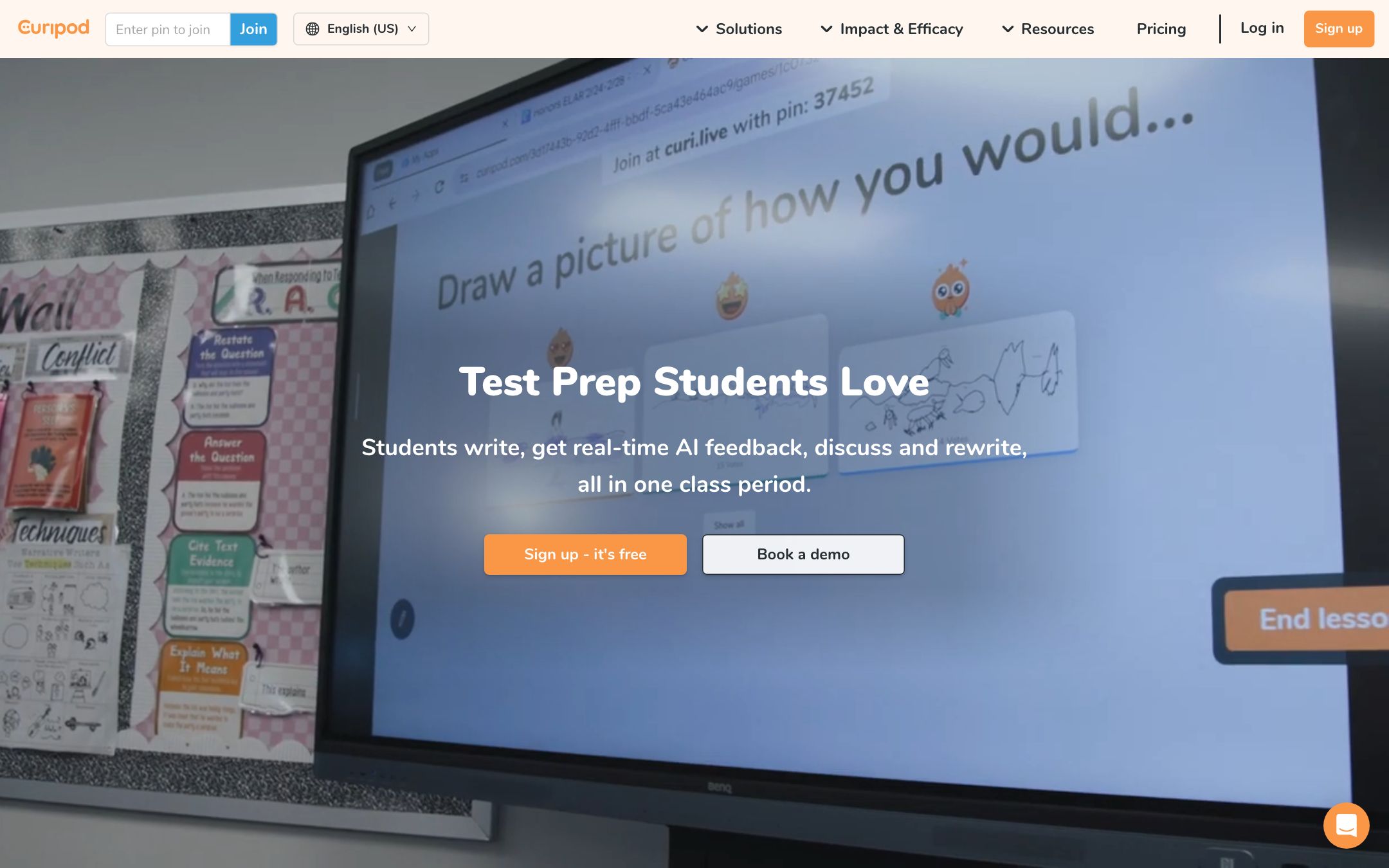
Curipod sits between PowerPoint and Kahoot. The killer move is that interactivity comes for free — every generated deck includes polls, draw prompts and exit tickets out of the box, and student responses surface live on the projector.
Recommend it if
You teach grades 4-12, your classroom has 1:1 devices or BYOD, or you want low-stakes formative assessment built into every slide deck.
Skip it if
You teach lecture-only at the higher-ed level, your students don't have devices, or you need fine-grained slide design control.
Quick facts
- Platforms
- Webprojector / display
- Languages
- EnglishSpanishNorwegian+10 student-input languages
- School fit
- K-5 6-8 9-12
- Subjects
- All subjectsespecially discussion-friendly ones
- Time to first output
- < 1 min
- Learning curve
- Easy
- Setup
- Sign in with Google or Microsoft; no install on student side
- Works offline
- —
Real-world use cases
How a teacher, student or parent actually puts this tool to work.
| Who | Scenario | Time | Output |
|---|---|---|---|
| Teachers | 7 AM on Monday — type "Romeo and Juliet Act II discussion, 30 min" — Curipod returns an 8-slide deck with poll, draw prompt and two exit tickets. | 45 sec | 8-slide interactive deck |
| Teachers | Run a 5-minute warm-up word cloud at the start of every class to surface what students remember from yesterday. | 2 min/day | Daily formative data |
| Teachers | Project an exit ticket for the last 5 minutes of class; export the per-student responses to grade book Monday morning. | 5 min | Per-student exit ticket data |
- Teachers
7 AM on Monday — type "Romeo and Juliet Act II discussion, 30 min" — Curipod returns an 8-slide deck with poll, draw prompt and two exit tickets.
- Time
- 45 sec
- Output
- 8-slide interactive deck
- Teachers
Run a 5-minute warm-up word cloud at the start of every class to surface what students remember from yesterday.
- Time
- 2 min/day
- Output
- Daily formative data
- Teachers
Project an exit ticket for the last 5 minutes of class; export the per-student responses to grade book Monday morning.
- Time
- 5 min
- Output
- Per-student exit ticket data
Curipod sits between PowerPoint and Kahoot. The killer move: interactivity comes for free. Generated decks include polls, word clouds, drawing prompts and exit tickets out of the box, and student responses surface live on the projector.
Workflow
- Type prompt: “9th grade biology — cell organelles, 25 minutes”
- Edit / approve the auto-generated deck
- Share a join code with students; their phones become input devices
What we like
- + Type a topic, get a full interactive deck (poll, draw, open-ended) in <1 min
- + Real-time student responses, like Pear Deck on AI steroids
- + Free tier supports unlimited lessons
- + Works on any device, no install
Heads up
- − Slide aesthetics are functional, not beautiful
- − Limited custom branding on free tier
- − Less control over individual slide layout
Pricing breakdown
Pricing
Verified directly on the vendor site. We re-check every quarter.
Free
- · Unlimited lesson generation
- · Up to 30 students per session
- · All interactivity types
- · Save and reuse decks
Pro
Most useful- · Unlimited students per session
- · Premium templates and branding
- · Per-student response history
- · Priority generation queue
School
- · Bulk teacher seats with SSO
- · Department/school analytics
- · Signed DPA, region selection
- · Onboarding and PD sessions
Privacy & compliance
Privacy & compliance
What we found in the vendor's terms, DPA, and trust center. Verify with your district before deploying.
- FERPA
- Compliant
- SOC 2
- Compliant
- COPPA
- Partial
- GDPR
- Compliant
- Trains on your data
- No
- Data retention
- Student responses stored per session; teachers can delete sessions or set automatic expiry.
- Hosting regions
- US · EU
Norwegian-founded, GDPR-compliant by design. COPPA compliance applies through school accounts. Students join with a join code; no student account required.
Works with
- Google Workspace
- Microsoft Teams
- Google Classroom (link sharing)
- Canvas (LTI on School plan)
Frequently asked questions
Frequently asked questions
Do students need to install anything?
No. Students join with a code on any device — phone, tablet, laptop, Chromebook. The only person who needs an account is the teacher.
How does the Free tier compare to Pro?
Free is fully functional for one teacher, one classroom (up to 30 students per session). Pro removes the student cap and adds per-student response history, premium templates and a faster generation queue. Most solo teachers stay on Free.
How does Curipod compare to Kahoot or Pear Deck?
Kahoot is gameshow-style and fixed quiz formats. Pear Deck is teacher-built decks with student input slots. Curipod is the only one where the entire deck — including the interactivity — is AI-generated from a topic prompt.
Are the slides standards-aligned?
For US K-12, common state standards (CCSS, TEKS, NGSS) are inferred from the topic. For other curricula, paste your standard text into the prompt and it'll align inline.
Can students see each other's responses?
Only if you choose to project them. Teacher controls visibility per slide — useful for low-stakes brainstorming, off for sensitive responses.
Tags
You might also like
When to pick it
MagicSchool AI
★Lesson Planning
All-in-one AI workspace built for K-12 teachers — 80+ tools in one tab.
You want general lesson-planning tools, not interactive in-class slides.